Formula 1 AR Experience
F1 Augmented Reality Experience Mobile app
AR/Interface Designer
An immersive AR application that allows users to explore legendary Formula 1 cars from different eras in their real-world environment using augmented reality.
About AR Project
Platform: iOS / Android
Timeline: ~2.5 months
Tools: Figma, Blender, Miro
Type: Design from scratch

The goal was to design a mobile AR application that combines:
• Formula 1 heritage
• Augmented Reality interaction
• Gamification & monetization
• High-performance, game-like UI

The app needed to feel dynamic, immersive, and intuitive, while also supporting complex AR interactions such as placement, scaling, scanning, and customization.
My Role & Responsibilities
I was responsible for the full UI/UX design cycle, including:
UX flows and information architecture
UI design for AR and non-AR screens
Gamification mechanics (coins, rewards, questionnaire)
AR-specific UI (scanning, placement, scale, height)
Visual consistency across multiple F1 eras

Collaboration with product manager and 3D/AR team
Design Process
1. Research & Inspiration
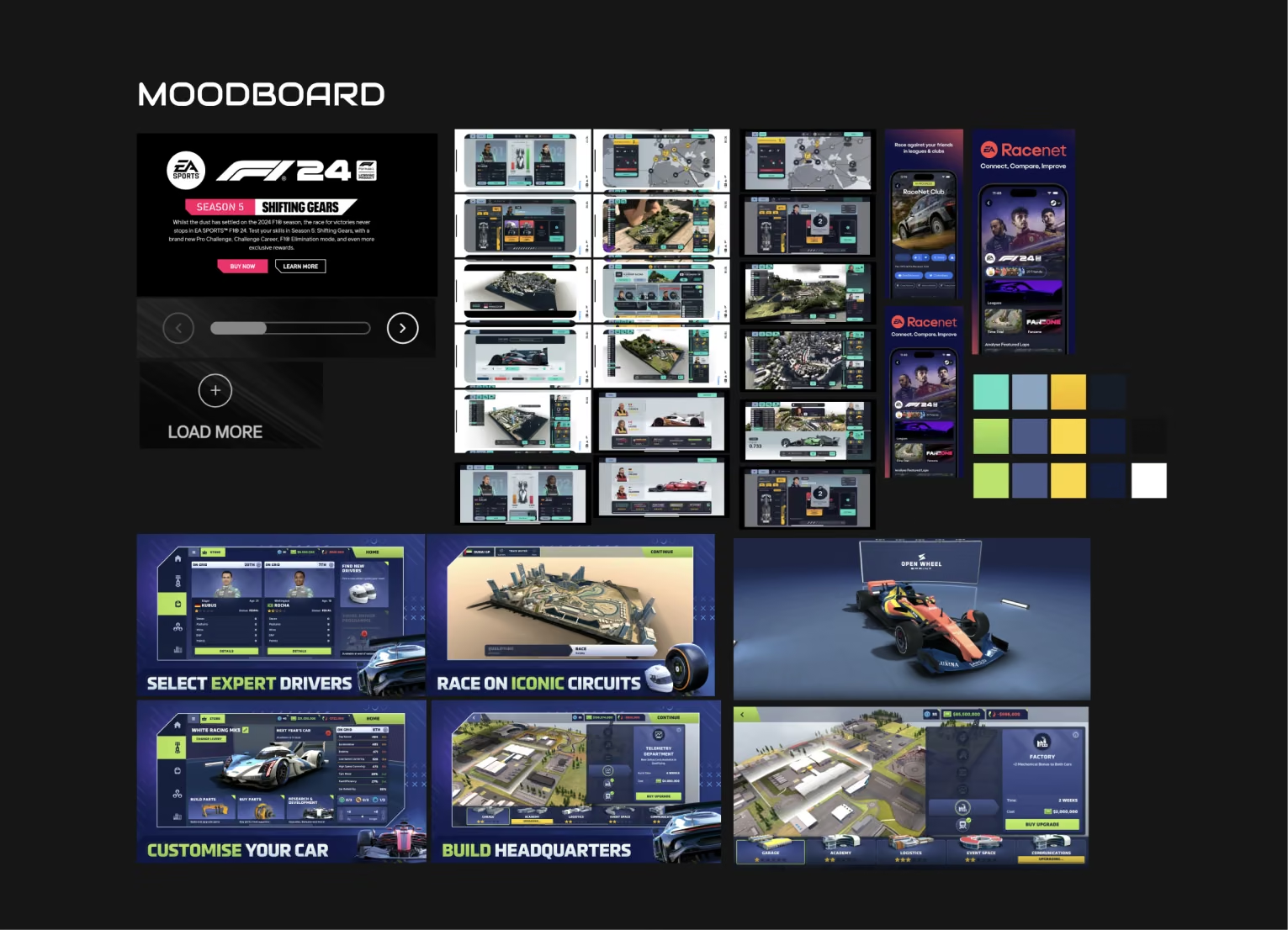
We analyzed:
• Racing & game UIs (EA F1 series, Motorsport Manager)
• AR applications and spatial interaction patterns
• Mobile gaming monetization patterns
The focus was on clarity, speed, and immersion, avoiding UI overload during AR sessions.
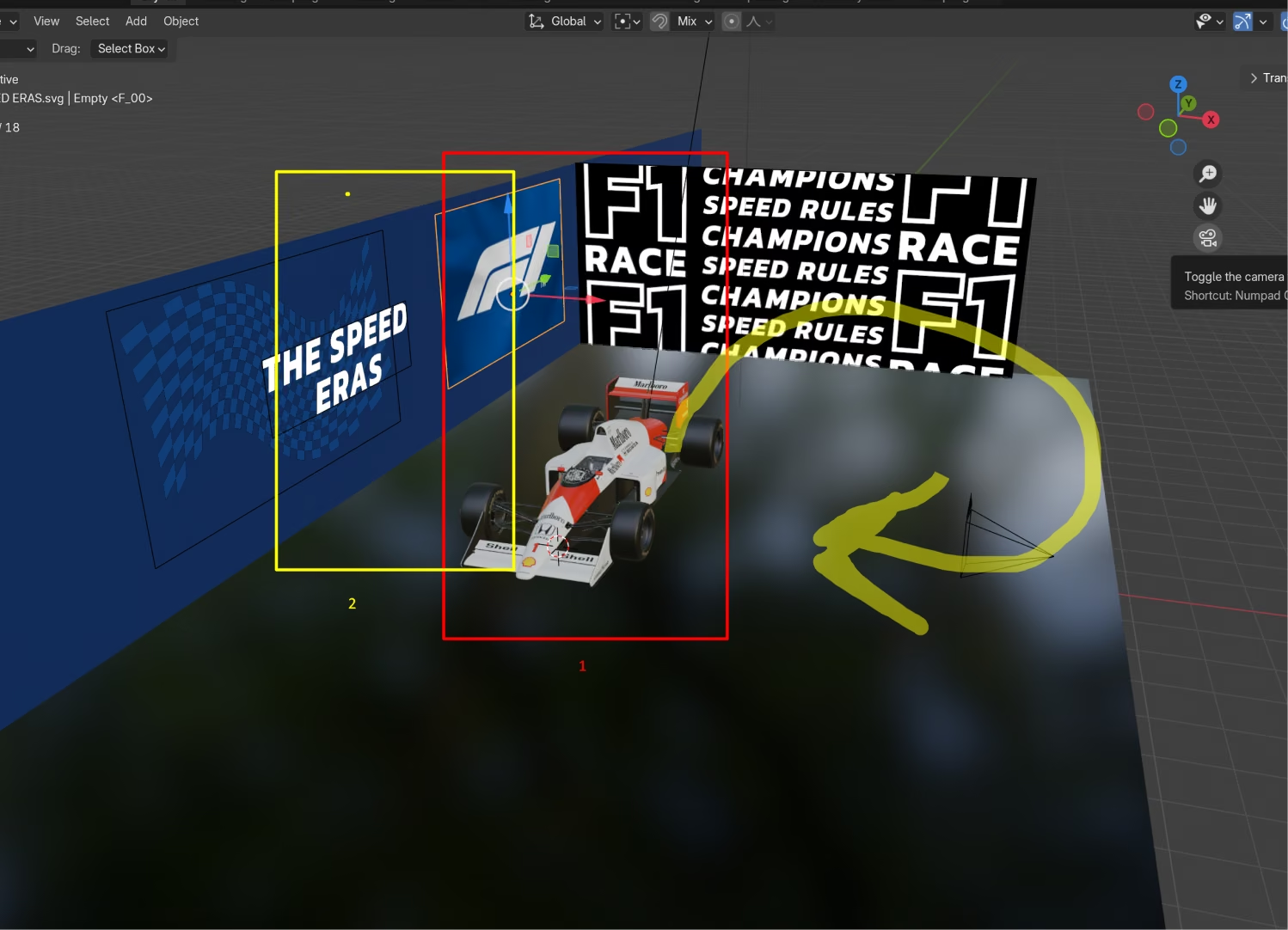
2. Information Architecture & Core Flow
Main user flow:
• Select Formula 1 era
• Choose a car
• Enter AR mode
• Interact with the car (place, scale, rotate)
• Earn or spend coins
• Progress through eras & challenges
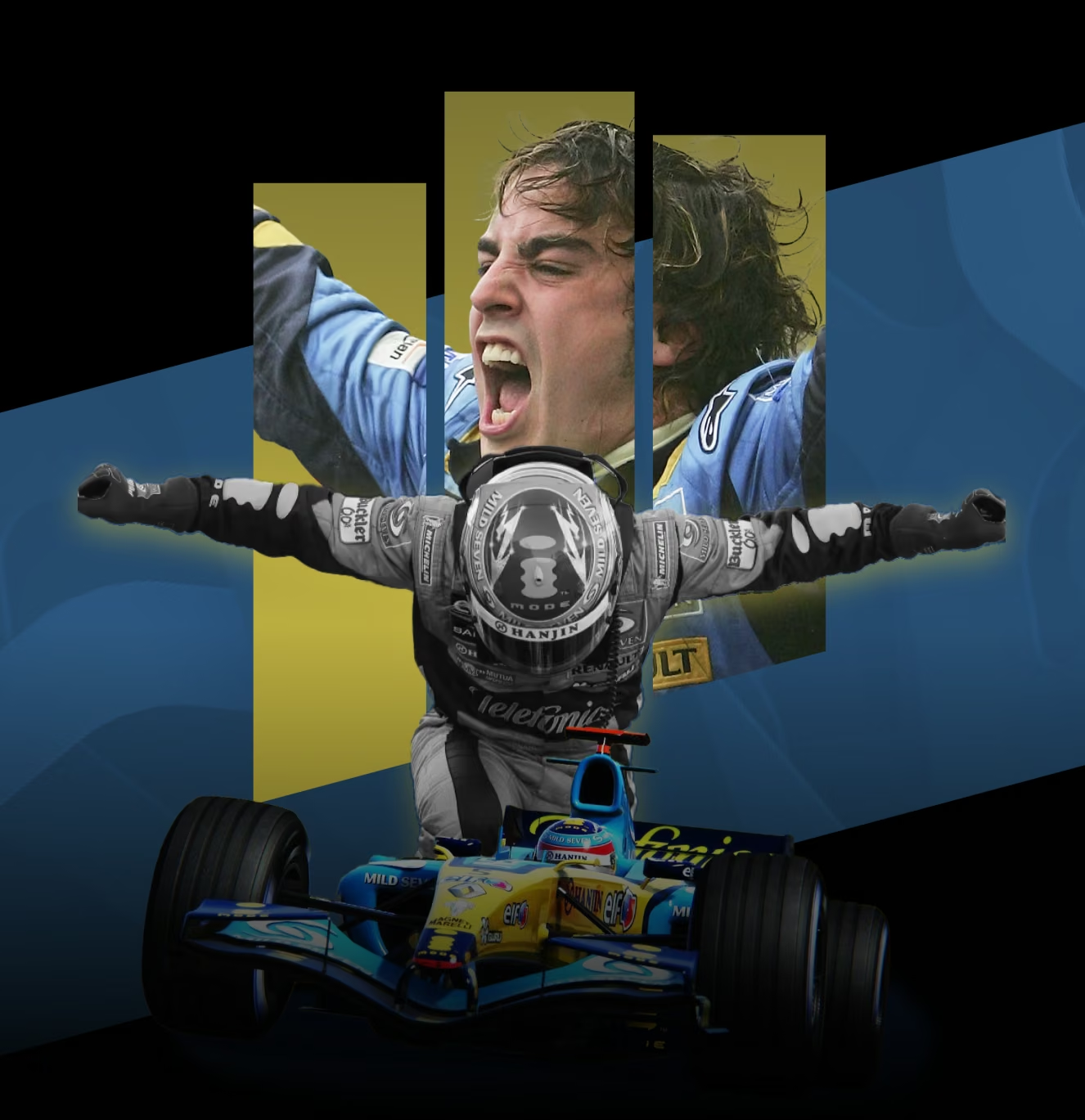
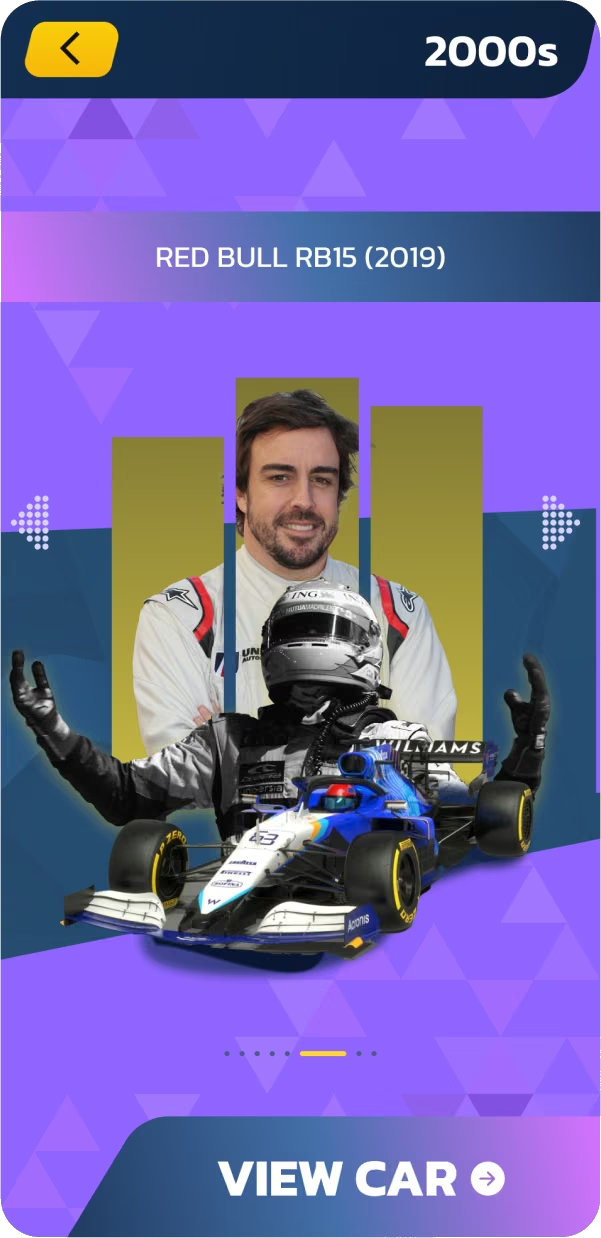
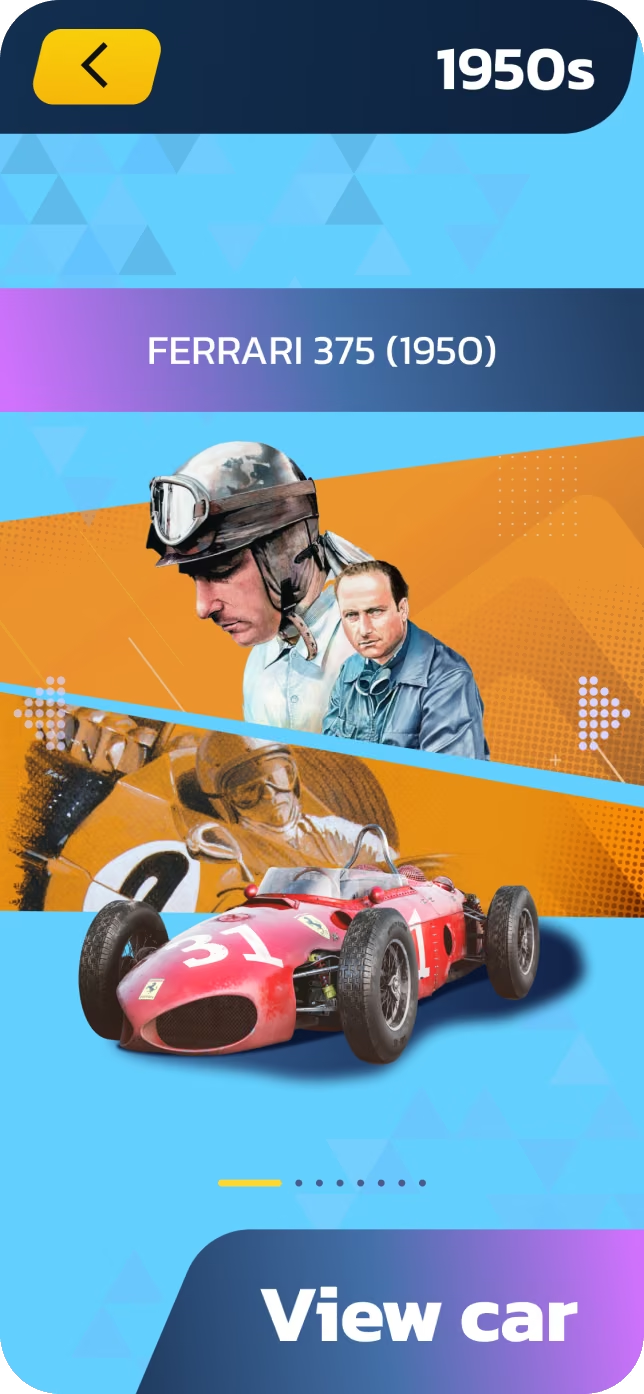
3. Era-Based Categories (Core Feature)
Key decisions:
• Same layout, different visual identity per era
• Smooth visual transitions between eras
• Cars oriented in the same direction for visual consistency
Each decade of Formula 1 is represented as a distinct visual category, while keeping UI structure consistent.
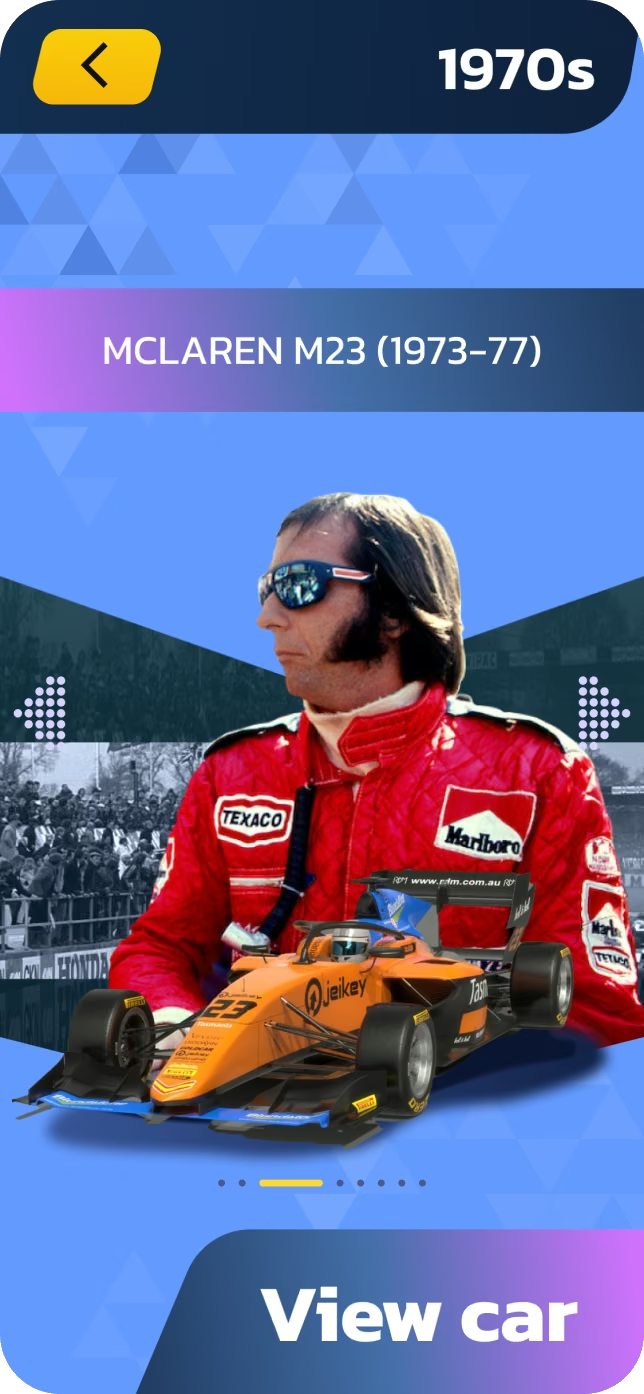
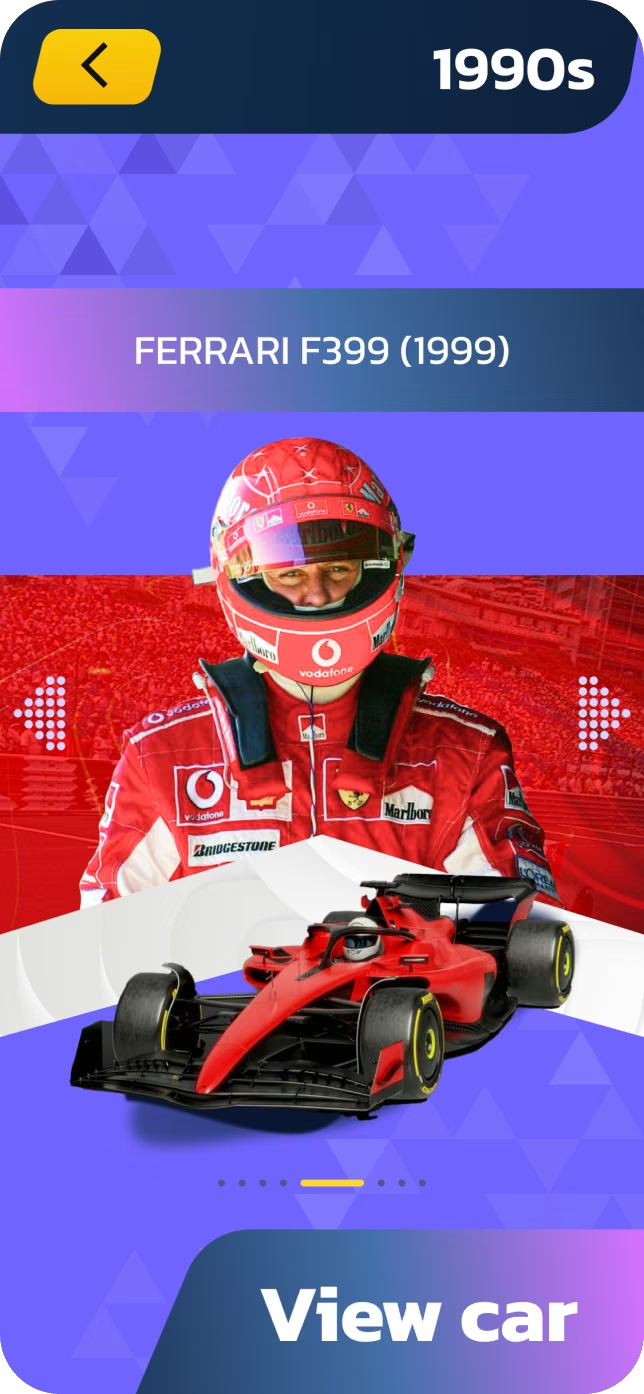
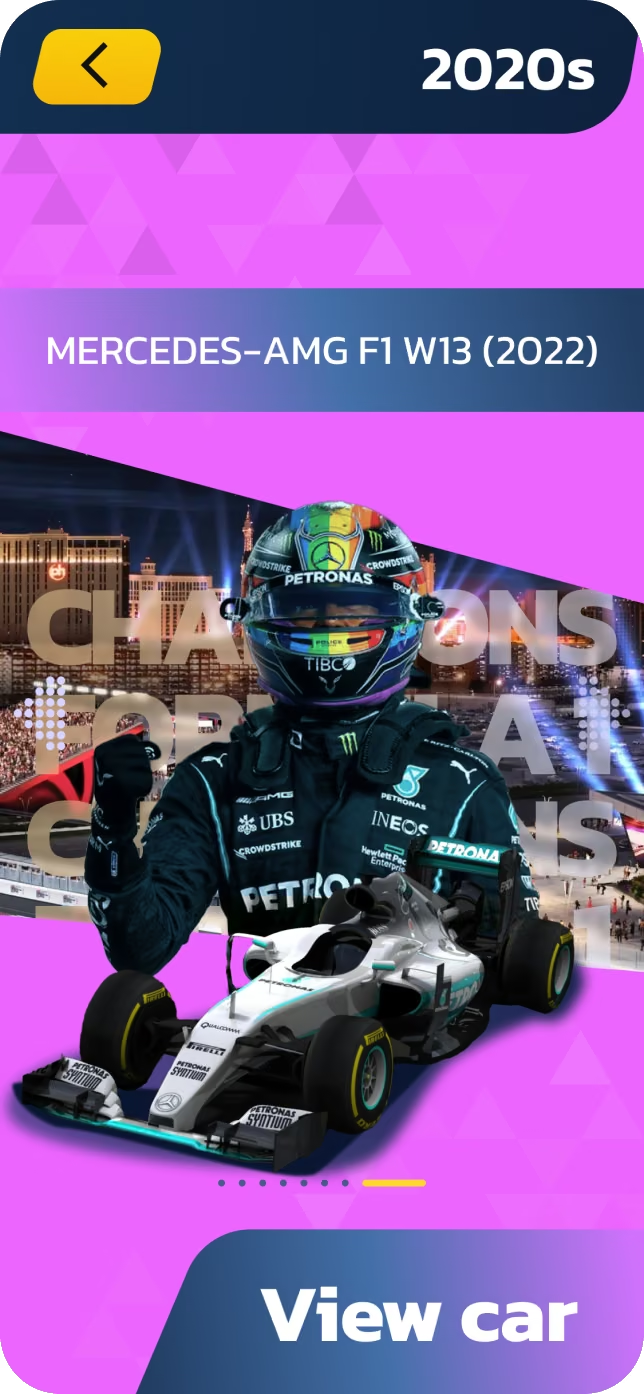
AR Experience Design
Designing for AR required thumb-friendly controls and minimal distraction.
AR UI Elements:
• Floor scanning indicator
• Placement indicator
• Scale & height controls
• Background dimming when car is placed
• Color / vinyl switcher
All controls were positioned for one-hand usage, keeping the main focus on the car.
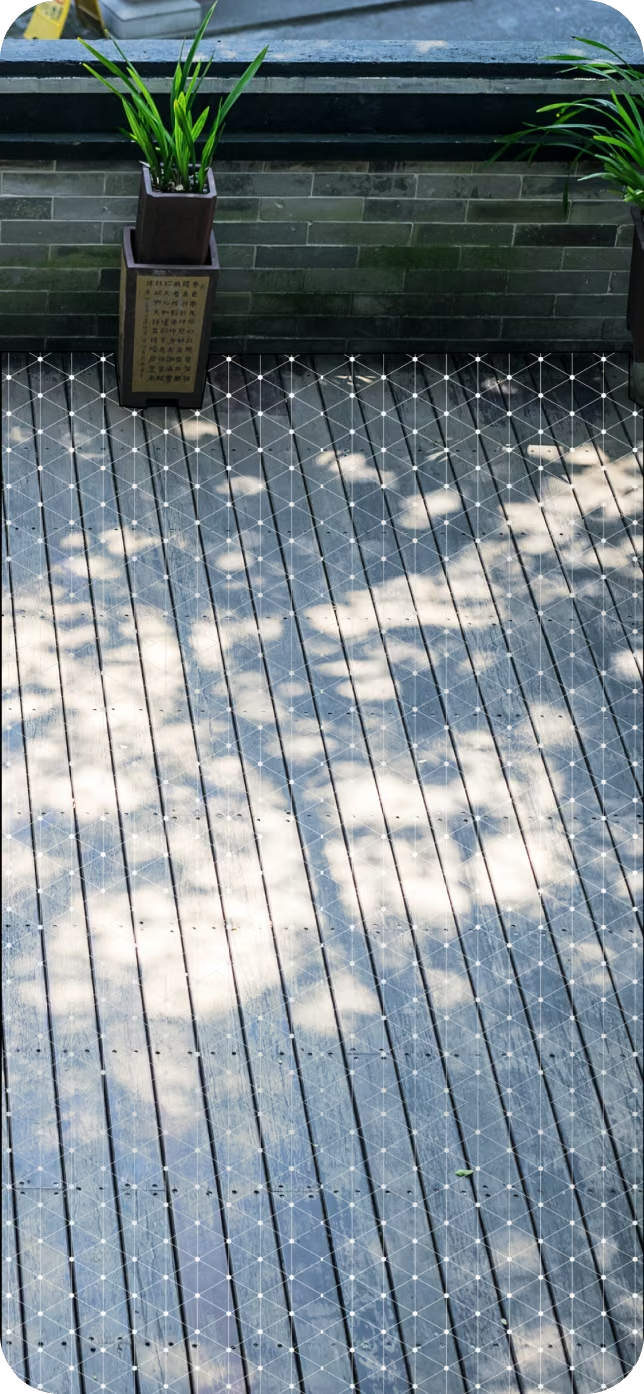
Mesh design when scanning a surface.
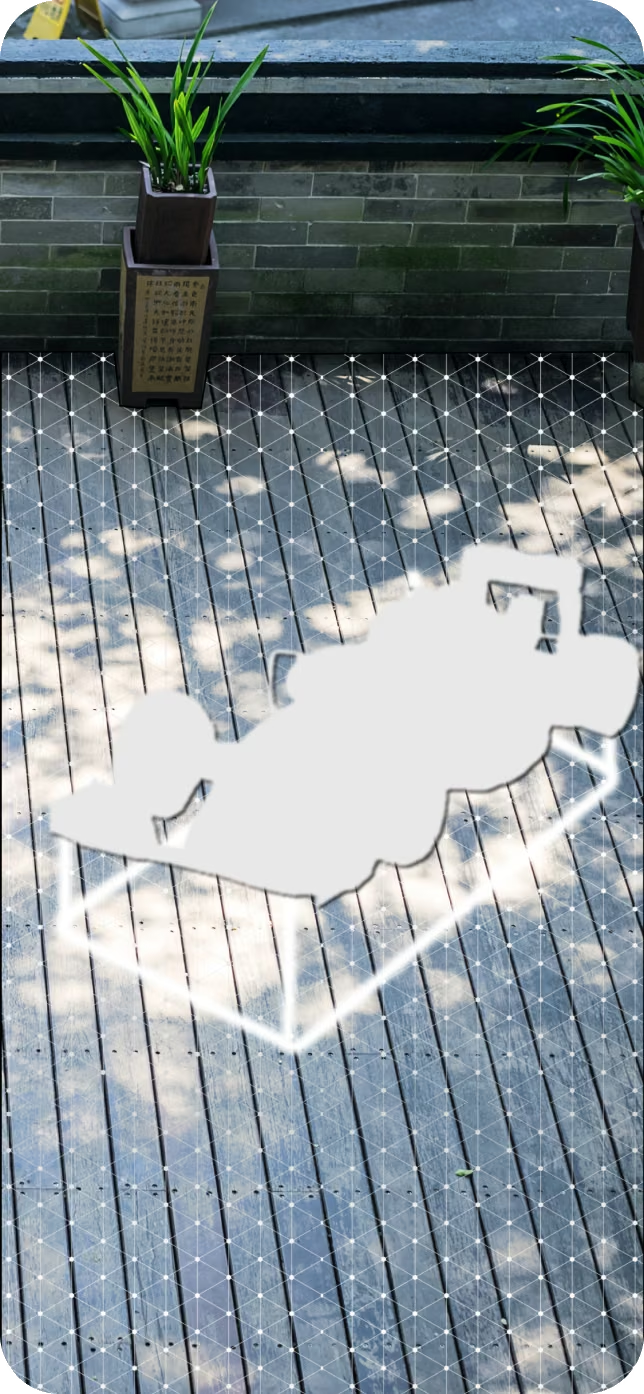
Example of a car model location indicator.
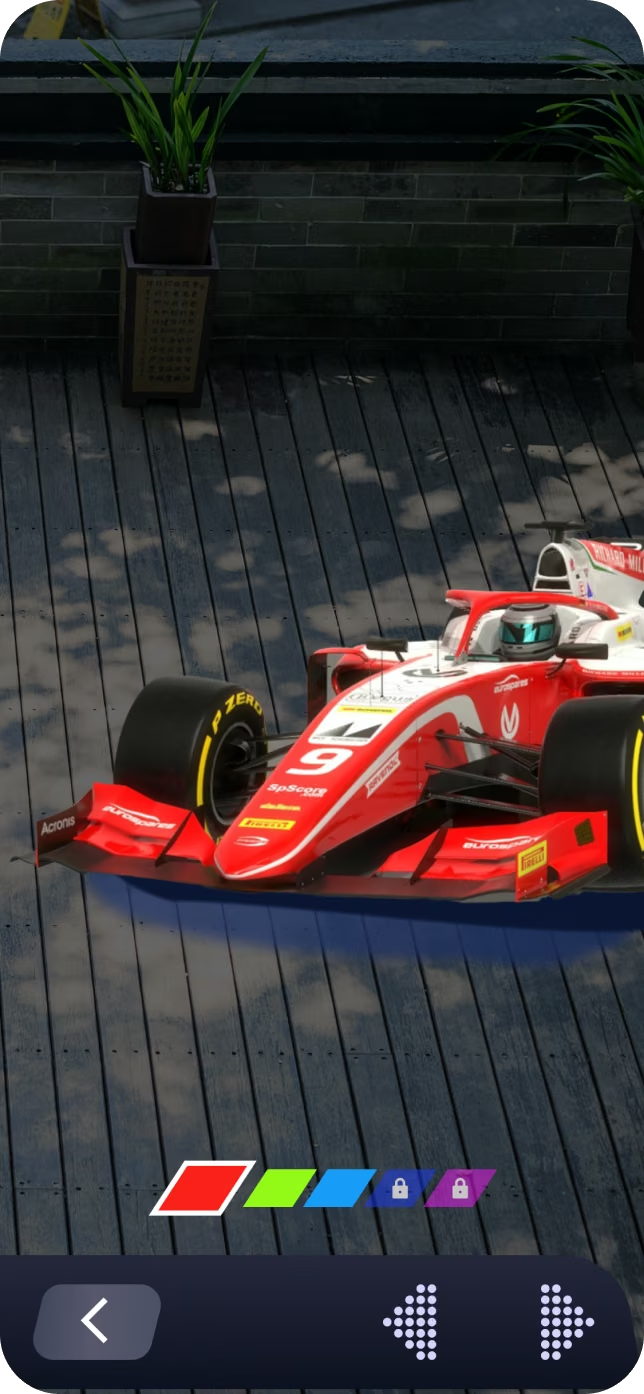
Car color selection menu.
Gamification & Monetization
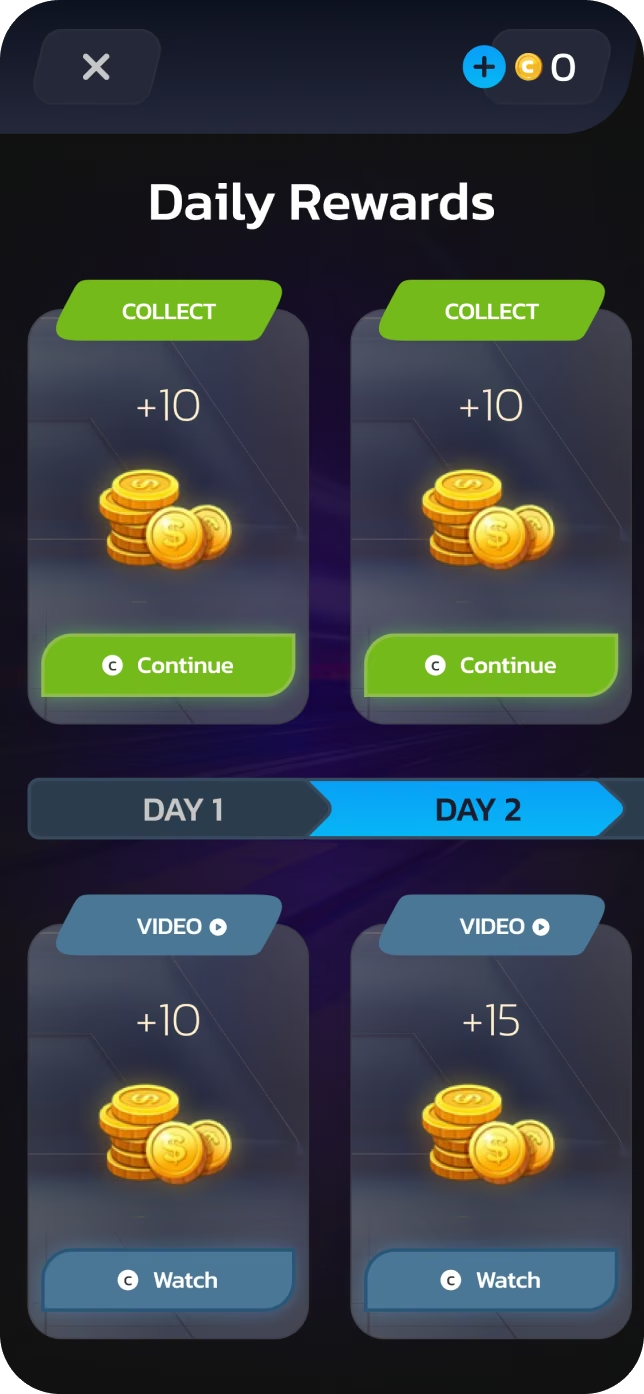
First design version of “Daily Rewards”.
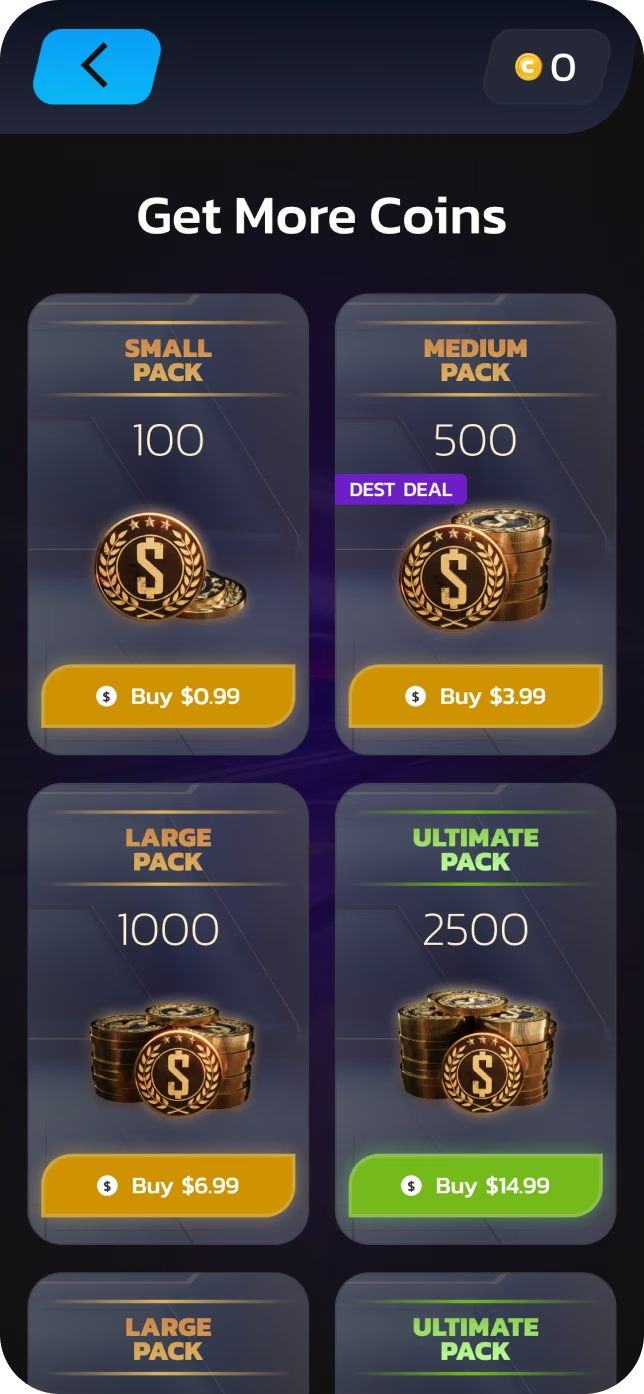
Final design version of "Get More Coins"
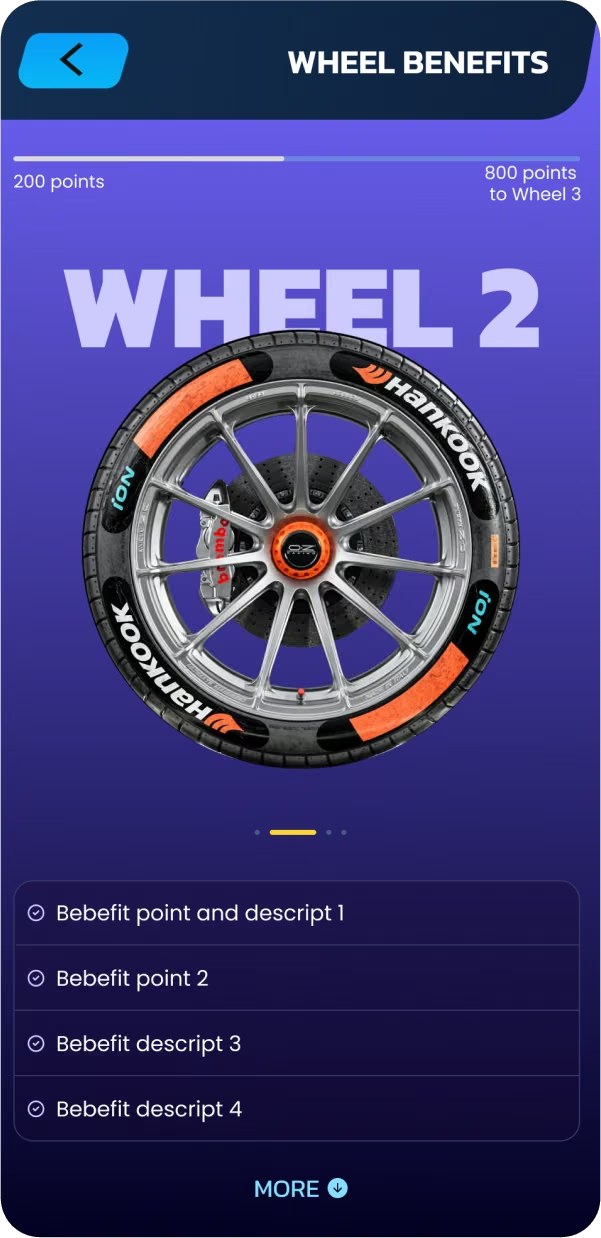
Coins System
• Unlock new cars and eras
• Buy hints and bonuses
• Earn coins via ads or rewards
Daily Rewards
• Login-based rewards
• Optional ad-based bonuses
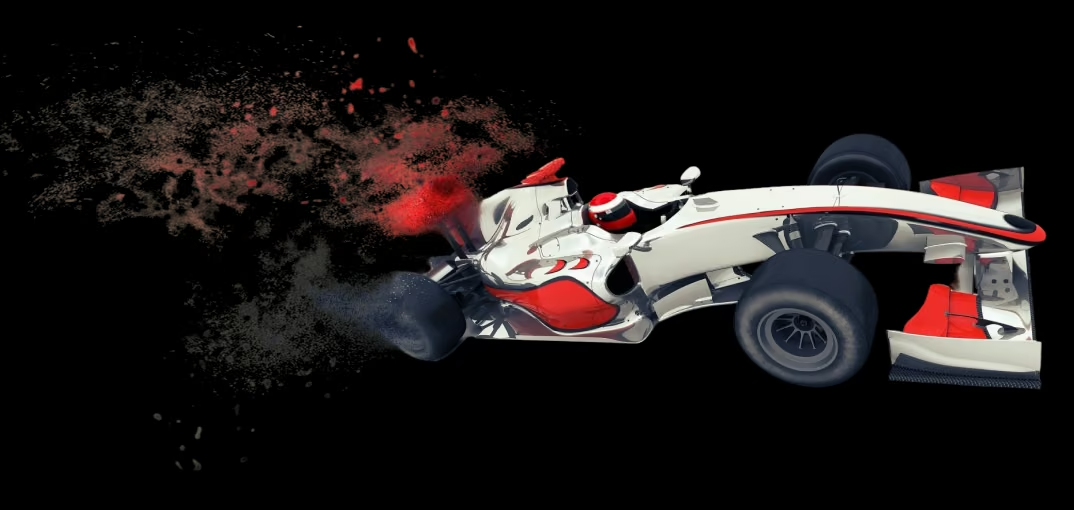
One of the options for the created logos.
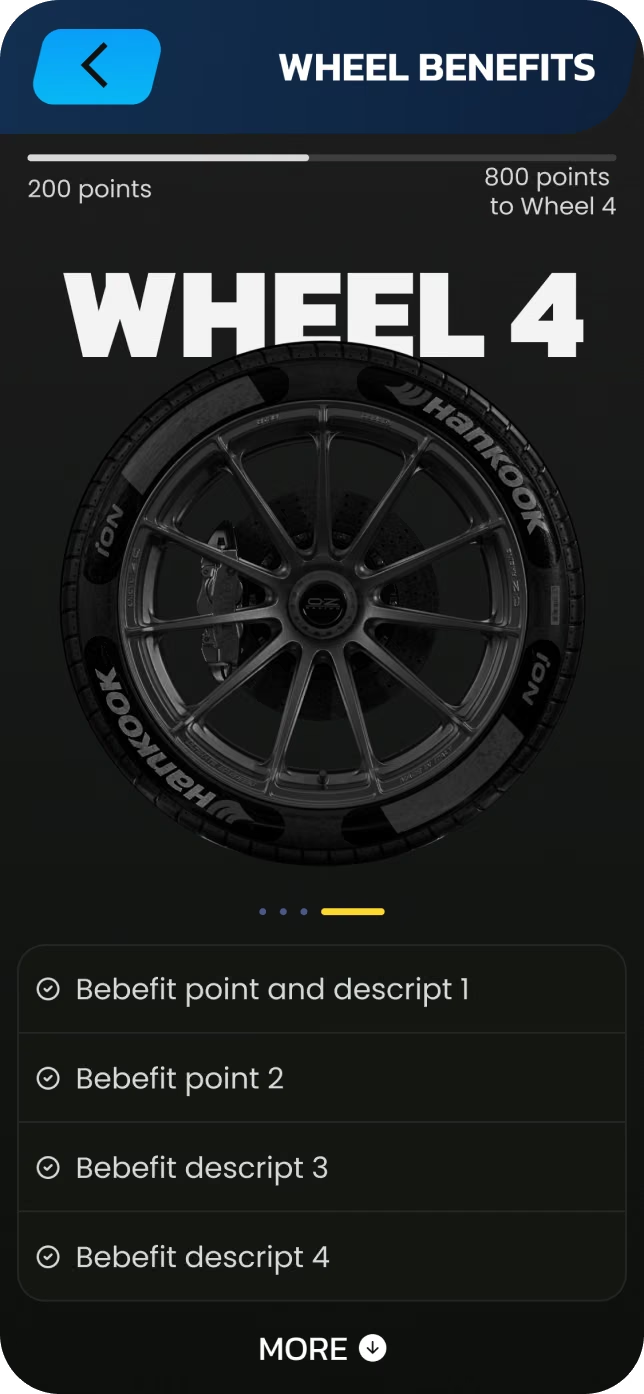
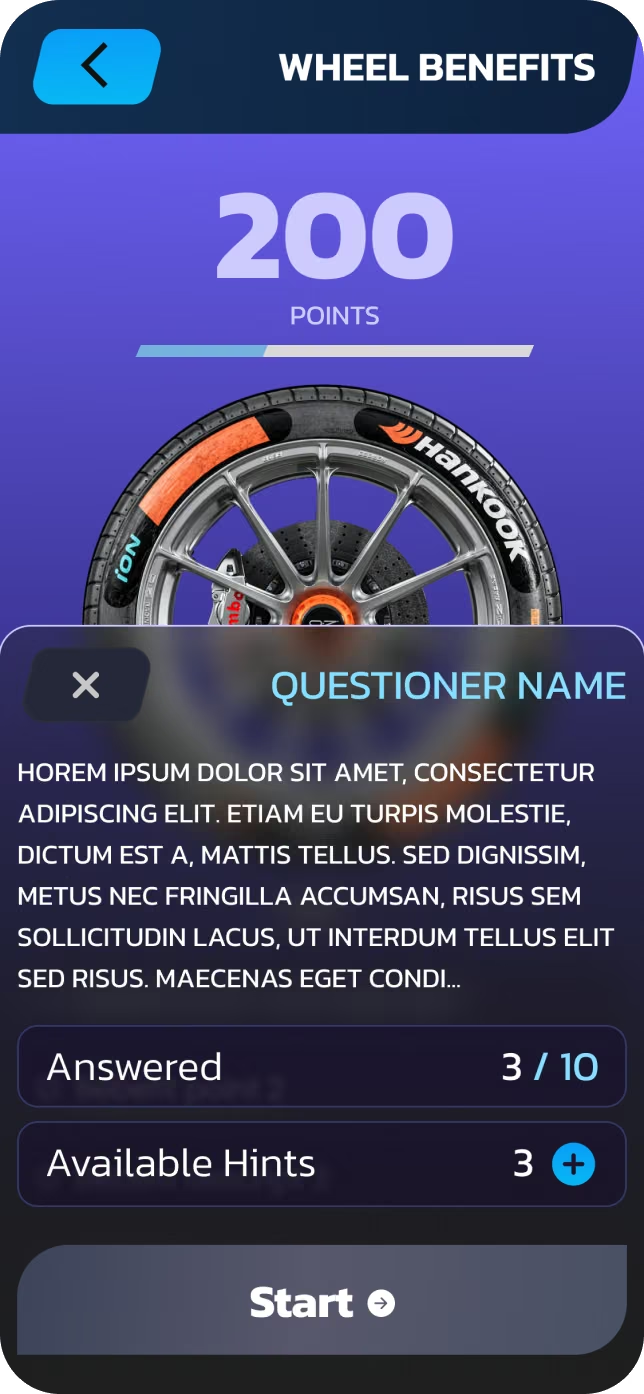
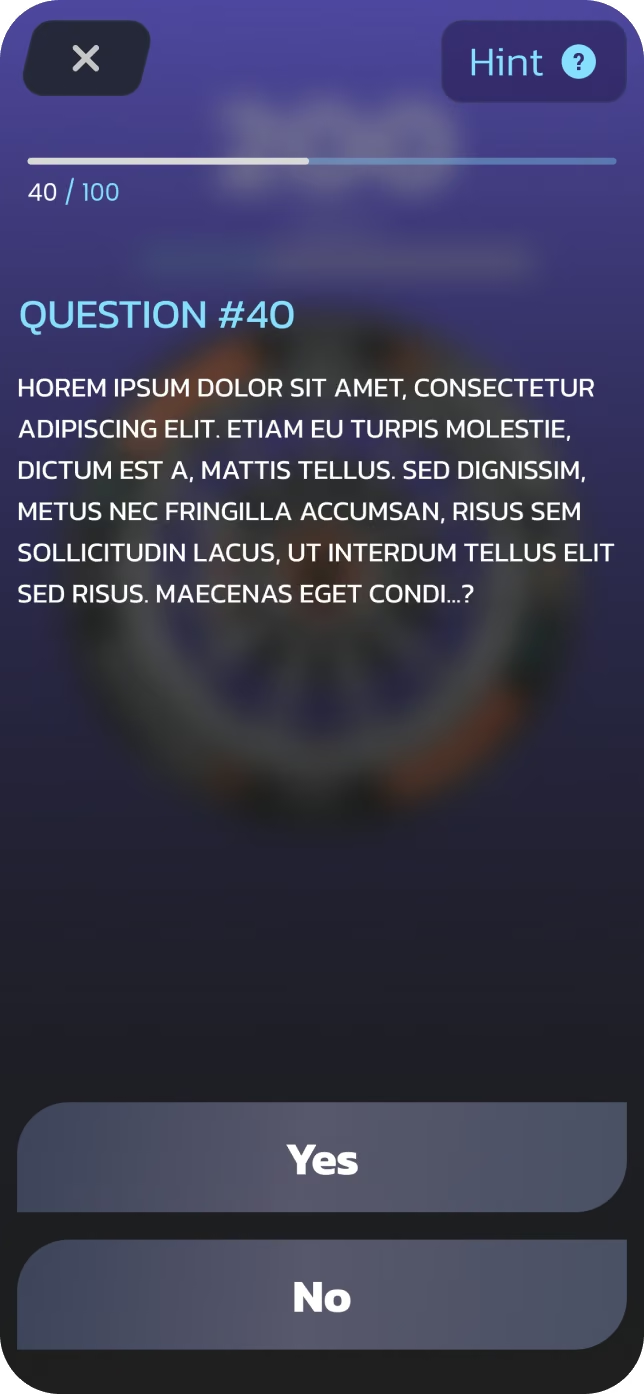
Questionnaire Feature
A quiz-based system was introduced to:
• Increase retention
• Educate users about F1 history
• Create an additional monetization loop
Features:
• 100 questions per era
• Yes / No answers
• Progress tracking
• Limited hints (linked to coins)
• Locked eras until progression
The project was developed in close collaboration with:
• Technical Product Manager
• AR / 3D artists
• Developers
We worked iteratively via:
• Figma (design & handoff)
• Miro (feedback, comments, alignment)
• Regular calls for complex AR and animation discussions
This approach allowed us to continuously refine UX and visuals throughout the project.
Final Thoughts
Results
• Fully designed AR application from scratch
• Scalable UI system for future features
• Strong foundation for AR interaction and gamification
Key Learnings
• AR UI must be even more minimal than traditional mobile UI
• Consistency + subtle variation is key in era-based designs
• Clear communication is critical in AR-heavy projects
This project was a deep dive into AR UX, game mechanics, and immersive interaction design.
It reinforced my passion for designing next-generation spatial experiences.